
BLUTECH OS · TWO KINDS OF USERS
The operating system for your building.
From every device to every decision.
Blutech OS connects devices, data, rules, permissions and third-party systems. Property teams run daily operations in it; technical teams manage devices and integrations in the same system.
Try the OS demoSEE IT LIVE
Try Blutech OS in your browser.
Explore an interactive demo of the operations view: a two-tower example building with live status, floors that need attention, energy, occupancy and comfort, and the systems check.
Try the OS demoExample building and sample data. No sign-in needed.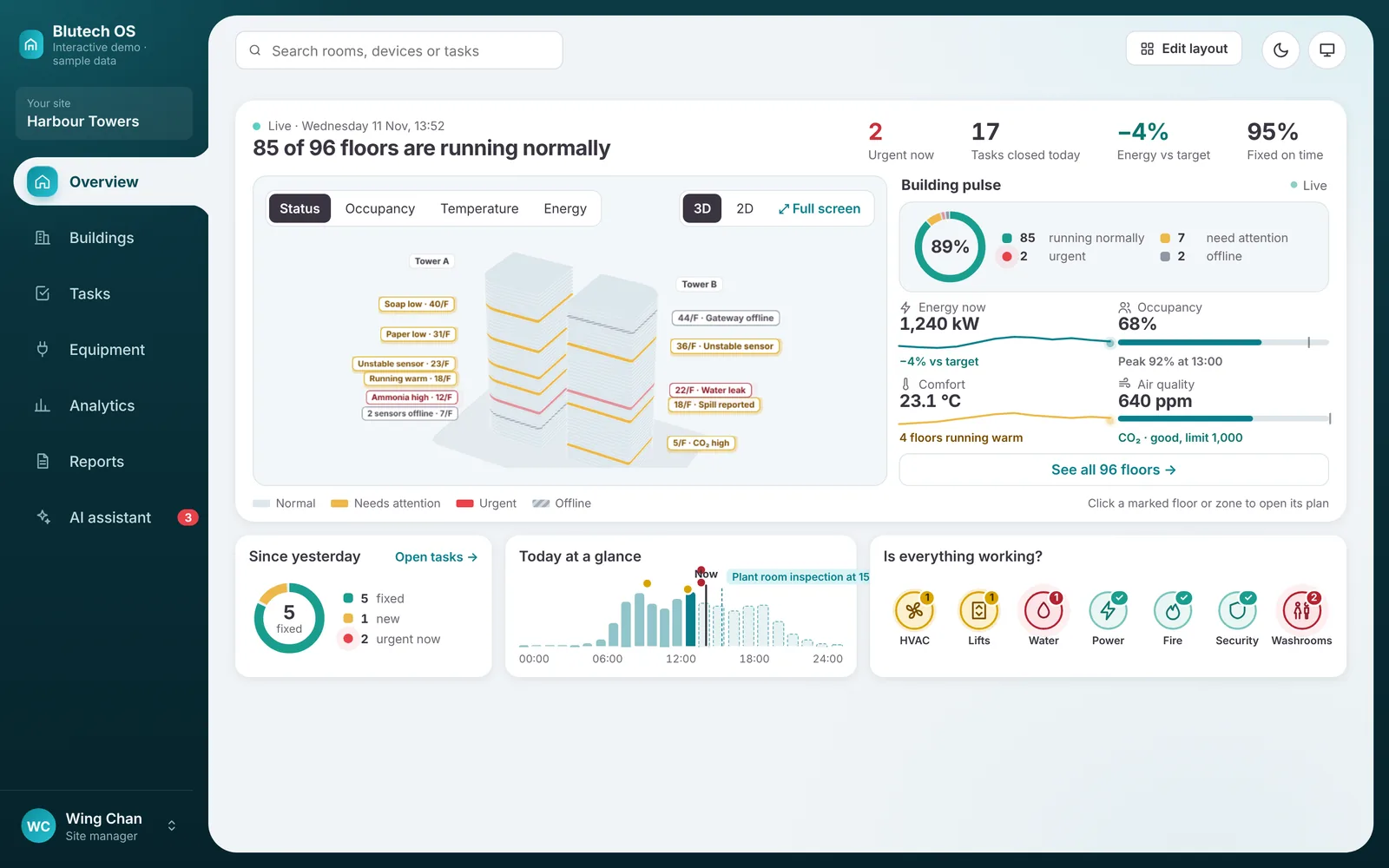 Open the demo ↗
BLUTECH OS · FOR PROPERTY TEAMS
Everything the property team needs to see. Nothing it does not.
The dashboard turns live building data into a calm daily operating view for owners, property management and facility teams.
- Portfolio and site overview
- Live floorplans and equipment status
- Alerts, work orders and escalation
- History, trends and scheduled reports
- Role-based desktop and mobile access
DEVICE MANAGEMENT · FOR TECHNICAL TEAMS
One governed layer for devices, data and integration.
The platform gives technical teams the tools to commission, monitor and integrate the connected building without exposing that complexity to daily users.
- Device and gateway provisioning
- Signal, battery and fleet health
- Data models, payloads and permissions
- Rules, remote settings and audit history
- APIs and building-system integration
WORKFLOWS
What comes in, what the team decides, what happens next.
Each deployment is configured around the building, the people involved and the response they agree. These are the workflows Blutech OS is used for.
Occupancy and door sensors, indoor air quality and consumable levels.
Which washrooms need cleaning or supplies now.
Assign the service team; entrance displays show availability to visitors.
Long-stay, no-motion or fall events from sensors that support them.
Has the alert been acknowledged within the agreed time?
Local alarm, notify assigned staff, escalate if unacknowledged, record the outcome.
Point and zone leak detectors.
Where water was found and which asset is at risk.
Dispatch maintenance and keep an auditable record.
Temperature, humidity, PM2.5 and occupancy.
Which areas are out of range and how conditions trend.
Adjust ventilation through the agreed BMS interface; report.
Gateway heartbeat, signal quality and battery.
Which devices or gateways need attention.
Schedule maintenance, change settings remotely, keep audit history.
WHO USES IT
Two products, different users.
Operations
For the people who run the building day to day.
- Owners and asset managers — portfolio overview and reports
- Property and facility managers — status, alerts and work orders
- Service and cleaning teams — assignments on mobile
Device management
For the people who build and maintain the connected estate.
- Technical teams — device and gateway provisioning, health and settings
- Integrators — data models, rules, permissions and APIs
- Project teams — commissioning records and audit history
NEW · BLUTECH OS AI CONNECTOR
Use Blutech OS from your AI assistant.
Ask Claude, ChatGPT or Grok about your building in plain language. The assistant searches Blutech OS, analyses trends and creates work orders; device changes wait for a person's approval.
Any leak alerts at Tower A this week?
Searched Blutech OS · leak sensors · Tower A · last 7 days
Two leak alerts this week:
| Plant room B | Tue 14:32 | Resolved |
| Level 3 pantry | Today 09:15 | Open |
The level 3 sensor is still reporting water. Shall I create a work order for a technician?
OPEN BY DEFAULT
Keep what works.
Connect what matters.
Cloud, private-cloud and on-premise options are coordinated around the project. Final interfaces depend on the installed systems and agreed integration scope.
Discuss your project
Tell us about your building.
Share the property type, the systems already in place and what you want to improve. We will come back with a practical pilot, integration path and how results will be measured.
- Emailenquiry@blutech.io
- Phone+852 2180 7157
- OfficeSai Ying Pun, Hong Kong